







If you’re applying to the North American Language and Culture Assistants Program (NALCAP), one of the very first things you’ll need to do is create your Profex 2 account. And yes, the website looks like it’s from the early 2000s, don’t panic. Once you know where to click, the process is actually pretty straightforward.
I highly recommend creating and completing your Profex profile before the application window opens. Every year, people wait until the last minute, the website crashes, chaos erupts in the Facebook groups, and suddenly everyone is stress-refreshing their browser like an artist’s presale just went live. Here’s a full step-by-step breakdown of how to register for Profex 2 and prepare your documents for NALCAP.
Step 1: Go to the Official Website
Head to the official Spanish Ministry of Education website: Spanish Ministry of Education Website
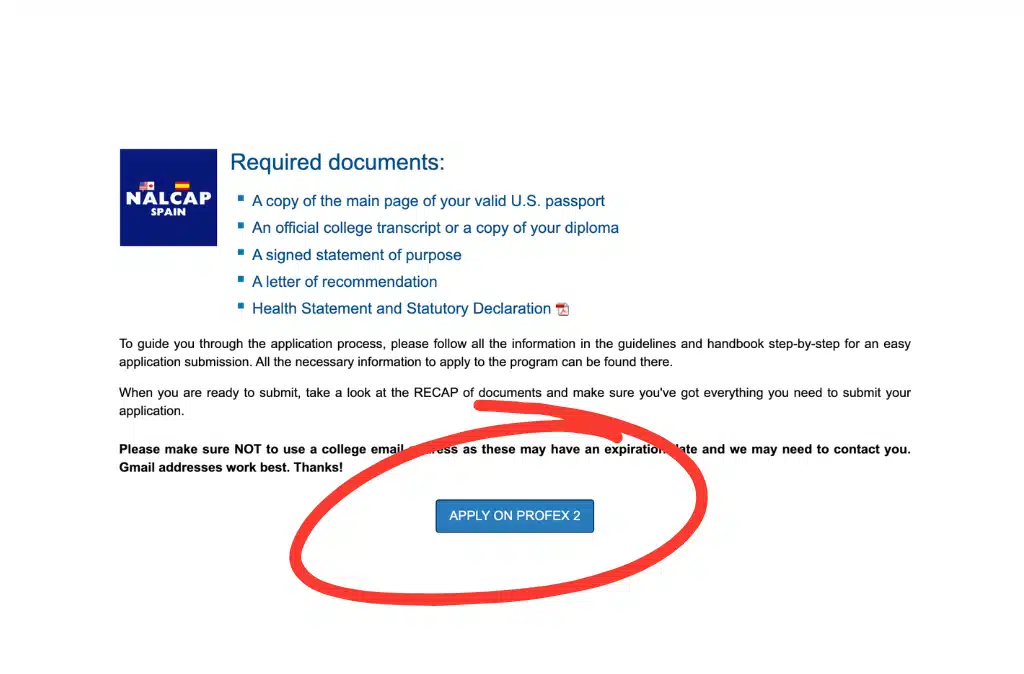
Step 2: Click on “APPLY ON PROFEX 2”
Once you’re on the homepage, look for the button that says “APPLY ON PROFEX 2” and click it.
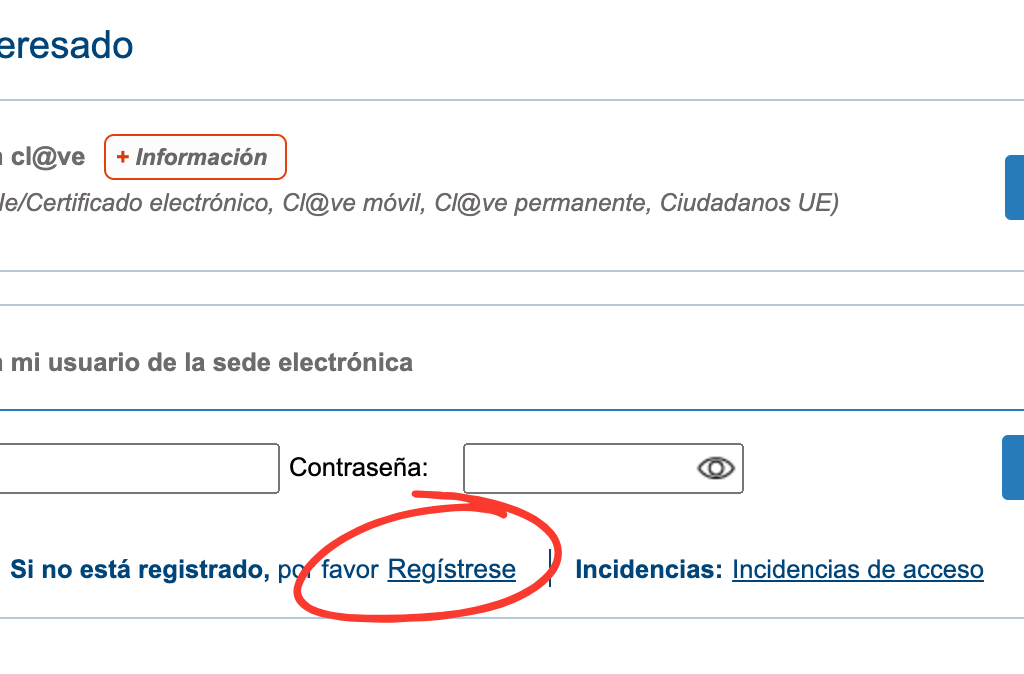
Step 3: Find Regístrese
Step 4: Register Your Account
You’ll now begin creating your account. Click: “Registro de persona física”
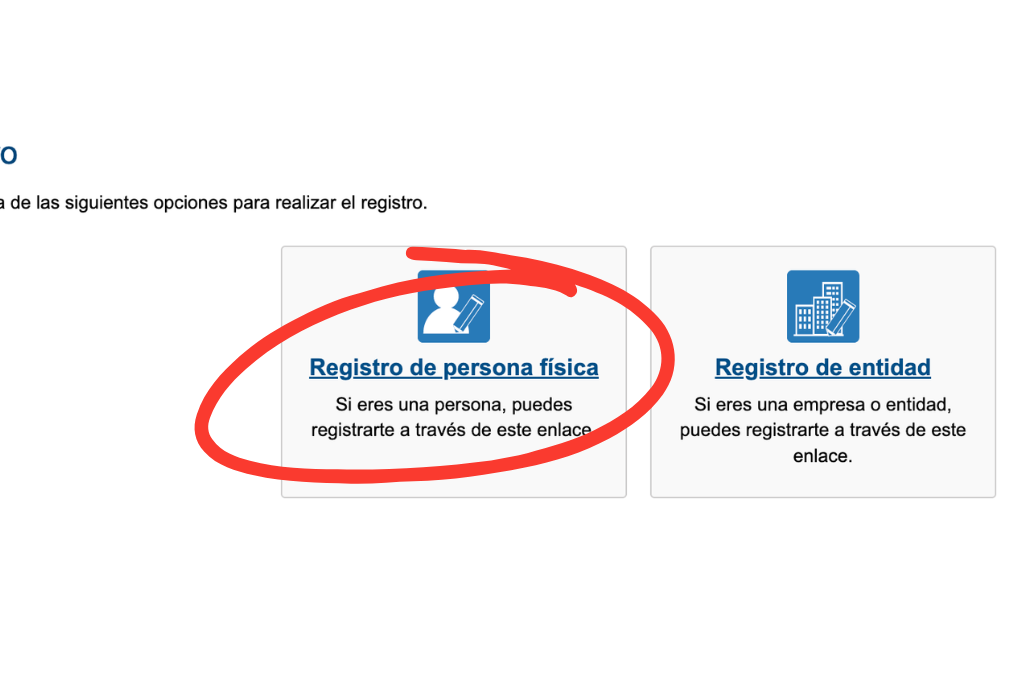
This is the option for individual applicants.
Step 5: Enter Your Personal Information
Fill out your personal information carefully and double-check everything before submitting.
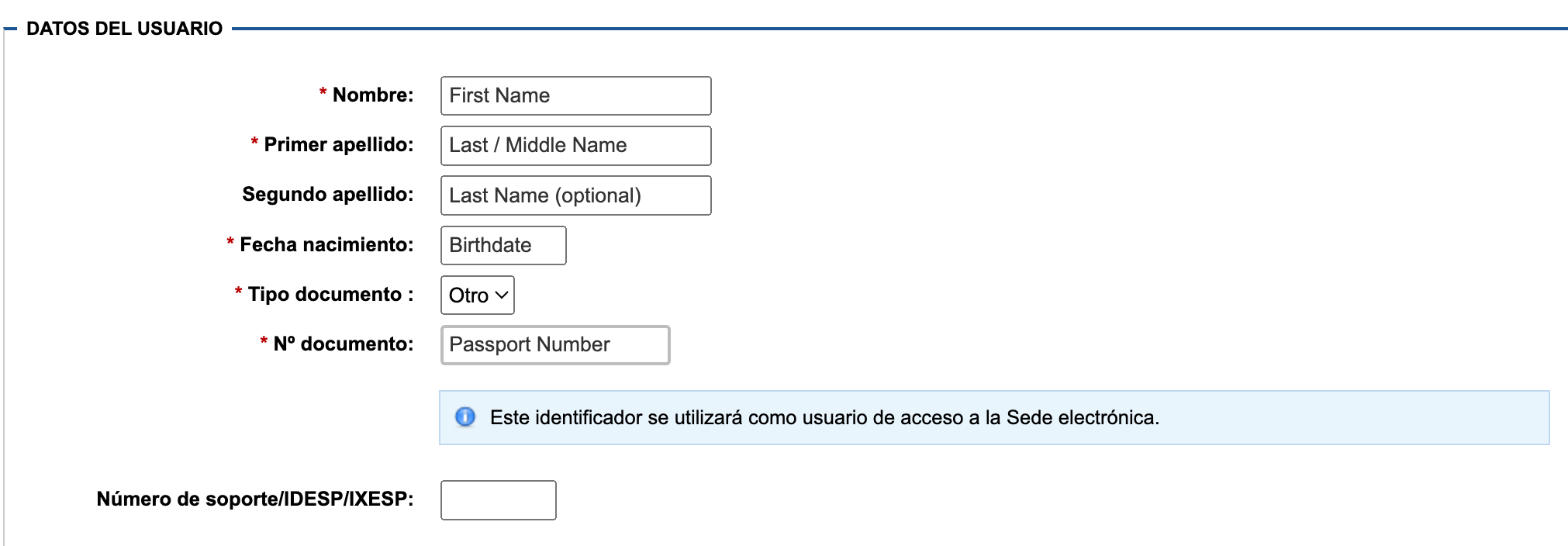
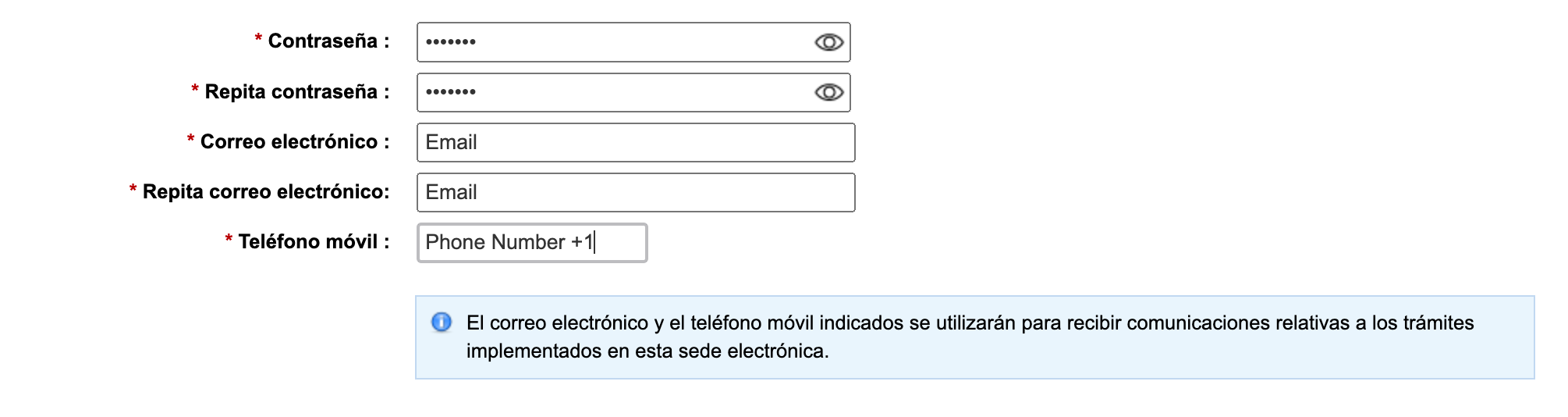
A few important things to note:
- Your passport number becomes your username for your Profex account.
- If you are from the United States or Canada, don’t forget to include your country code (+1) when entering your phone number.
- At the bottom of the page:
- Check the confirmation box
- Click “Aceptar”
On the next page:
- Review your information for accuracy
- Click “Confirmar”
You’ll then reach a final confirmation page. Clicking “Aceptar” again officially creates your account. For reference, I successfully completed the registration process using Google Chrome. If one browser gives you issues, try another one (Mozilla Firefox) before spiraling into a full existential crisis over Spanish bureaucracy.
Complete Your Profex Profile BEFORE Applications Open
Once your account is created, your next step is completing your Profex profile and uploading all required documents. Please follow the official handbook carefully when filling out your profile. A newly updated handbook is usually released every year around December. The biggest thing you need to know: Have EVERYTHING finished before the application period opens!
That means:
- Your Profex profile
- Your CV/résumé
- Your uploaded documents
- Your statement of purpose
- Your recommendation letter
Everything! NALCAP is not like a traditional competitive job application where extra certifications and achievements automatically move you to the top. As long as you meet the basic eligibility requirements and submit a complete application before placements fill up, you have a strong chance of being accepted. This is why organization and timing matter so much.
Required Documents for NALCAP
All uploaded scans must be in PDF format. If you do not have access to a printer or scanner, check:
- Your local library
- Office supply stores
- University campus centers
You’ll need the following documents:
1. Scanned Copy of Your Passport
Upload a scanned copy of the main identification page of your passport. For Canadian applicants, the same requirement applies when using your Canadian passport.
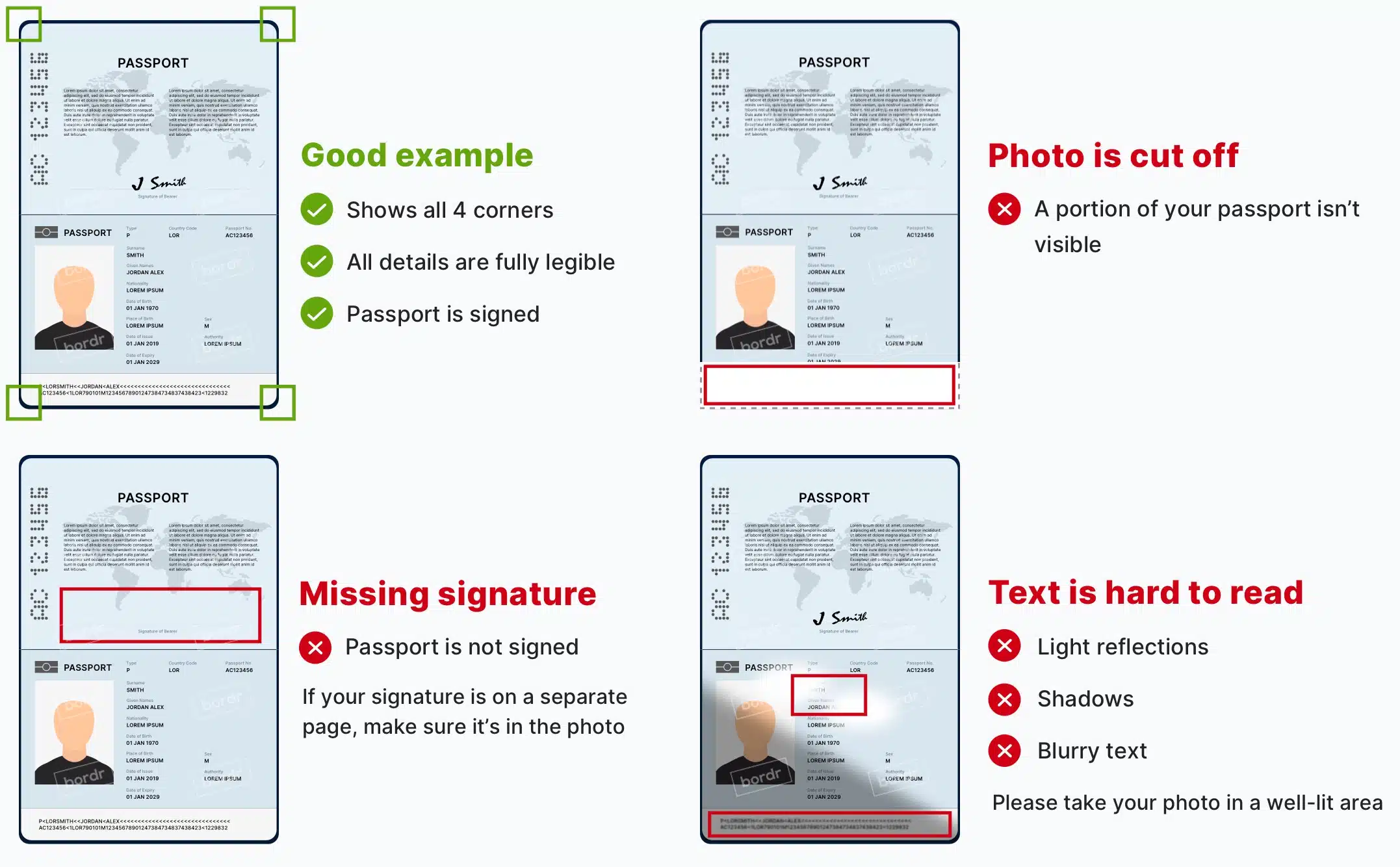
**Important Passport Requirement
Your passport must now be valid throughout the entirety of your stay at the time you apply. Meaning if your passport expires during your school year, you will NOT be accepted. Renew it before submitting your application.
2. Official College Transcripts or Diploma
You must upload either:
- Official college transcripts
OR - A copy of your diploma
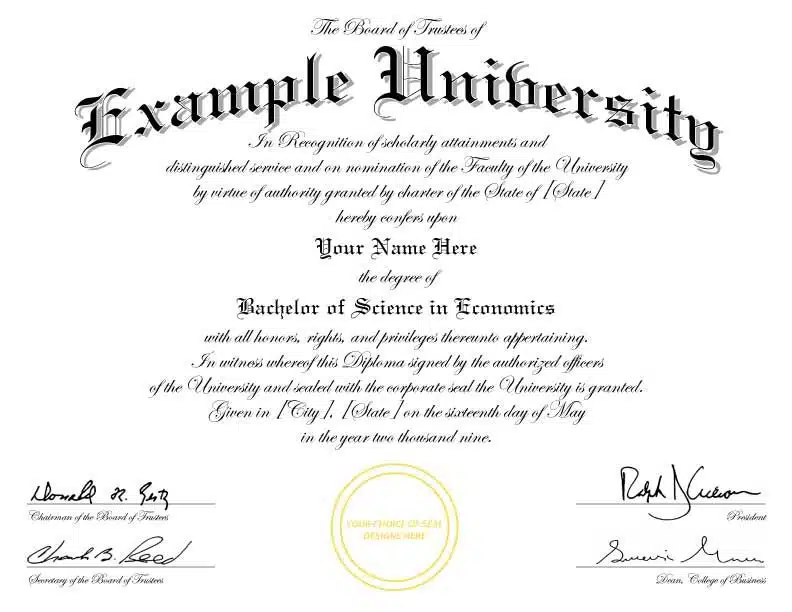
If your current legal name does not match the name listed on your diploma or transcripts (for example, after marriage), you should also upload supporting documentation showing the name change, such as:
- Marriage certificate
- Legal name change document
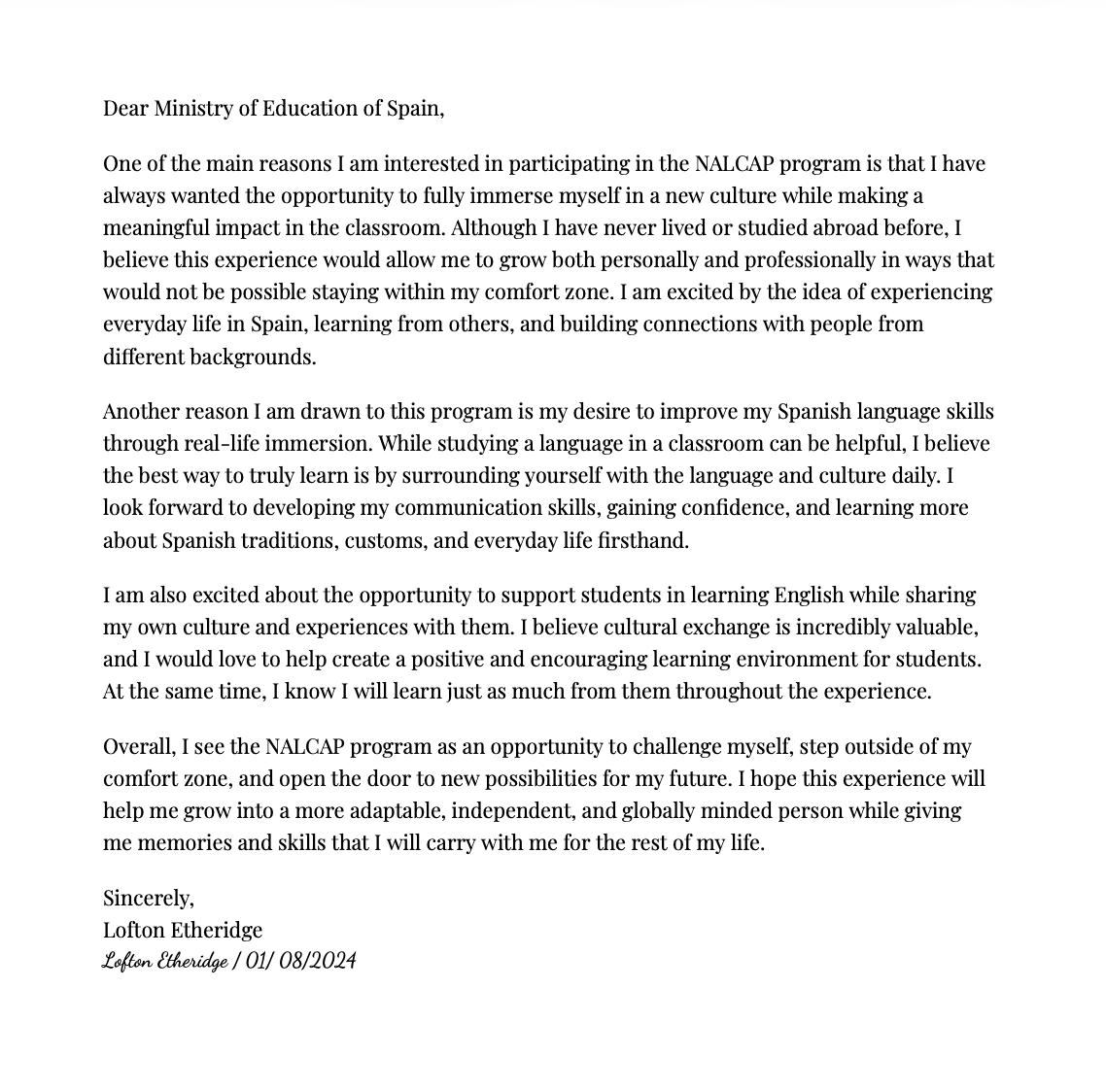
3. Statement of Purpose
Your statement of purpose must:
- Be 250–300 words maximum
- Be written in English
- Be addressed to the Ministry of Education of Spain
- State that you are a native-level or native-like English speaker
- Explain why you want to participate in NALCAP
- Be signed and dated
***And please, do not forget to date it! It’s better to have a wet signature just in case! So print it out and add the signature, then use the app CamScanner to upload it to a PDF.
4. Letter of Recommendation
For your recommendation letter, ask someone who can genuinely speak positively about your work ethic, personality, and potential success in Spain. Good options include:
- Professors
- Teachers
- Study abroad directors
- Academic advisors
- Supervisors in relevant professional positions
Please ask early and give them plenty of time. The recommendation letter must:
- Be on official organization letterhead
- Include the recommender’s:
- Name
- Position
- Contact information
- Explain how they know you and for how long
- Assess your qualifications and ability to succeed in the program
- Include a final statement supporting your potential as a language assistant in Spain
- Be no longer than 1 page
- Be signed and dated no earlier than September 1, 2025
5. Statutory Declaration on Health Status and Program Conditions
This document became a requirement beginning in 2025. You must:
- Download the form
- Read it carefully
- Fill it out
- Print it
- Sign it
- Scan it as a PDF
You’ll upload this document under:
- My Profile → Attached Documents
Along with your other required documents. When the application window officially opens and you begin your application, you’ll be able to select these uploaded documents directly from your profile.
Helpful Links
- NALCAP Official Website
- Spanish Ministry of Education Portal
- Statutory Declaration on Health Status and Program Conditions Form
- CamScanner App
When Should You Start Preparing?
My recommendation: November
- Ask for your recommendation letter
- Begin creating your Profex account
- Start gathering documents
December
- Work on your profile
- Upload documents
- Draft your statement of purpose
January
- Polish everything
- Double-check uploads
- Make sure your PDFs open correctly
- Prepare to submit quickly once applications open
Trust me, future-you will be incredibly grateful you handled things early instead of trying to fight Profex 2 at midnight while thousands of other applicants are also refreshing the site. Spanish bureaucracy builds character.
Love always,
American Girl Meets World


