This PROPER guide is for adding, changing, or removing your bank details (domiciliación bancaria) with the Generalitat Valenciana. It’s quick if you have what you need. The whole thing should take about five minutes if you’re ready.
Before you start (prep: 1 minute)
- Have your Spanish IBAN ready — the account must be a Spain-based IBAN
- Be ready to identify yourself online (Digital Certificate / Cl@ve / other accepted method on the Sede Electrónica).
Step-by-step (the 5-minute flow)
- Go to the Sede Electrónica de la Generalitat Valenciana, open the PROPER procedure, and click Tramitar. (GVA)
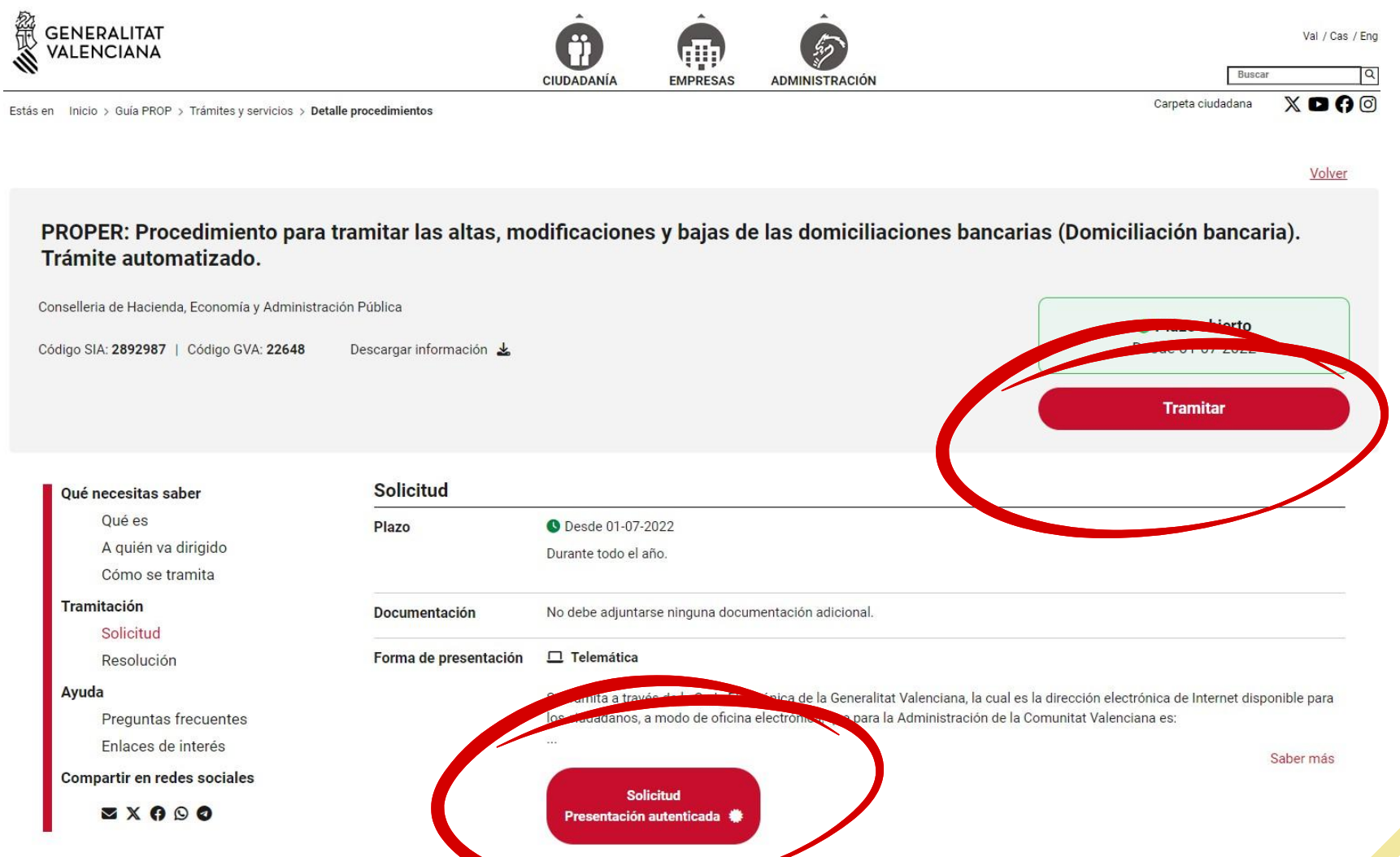
2. Choose the action: Solicitud Presentación autenticada, as pictured above.
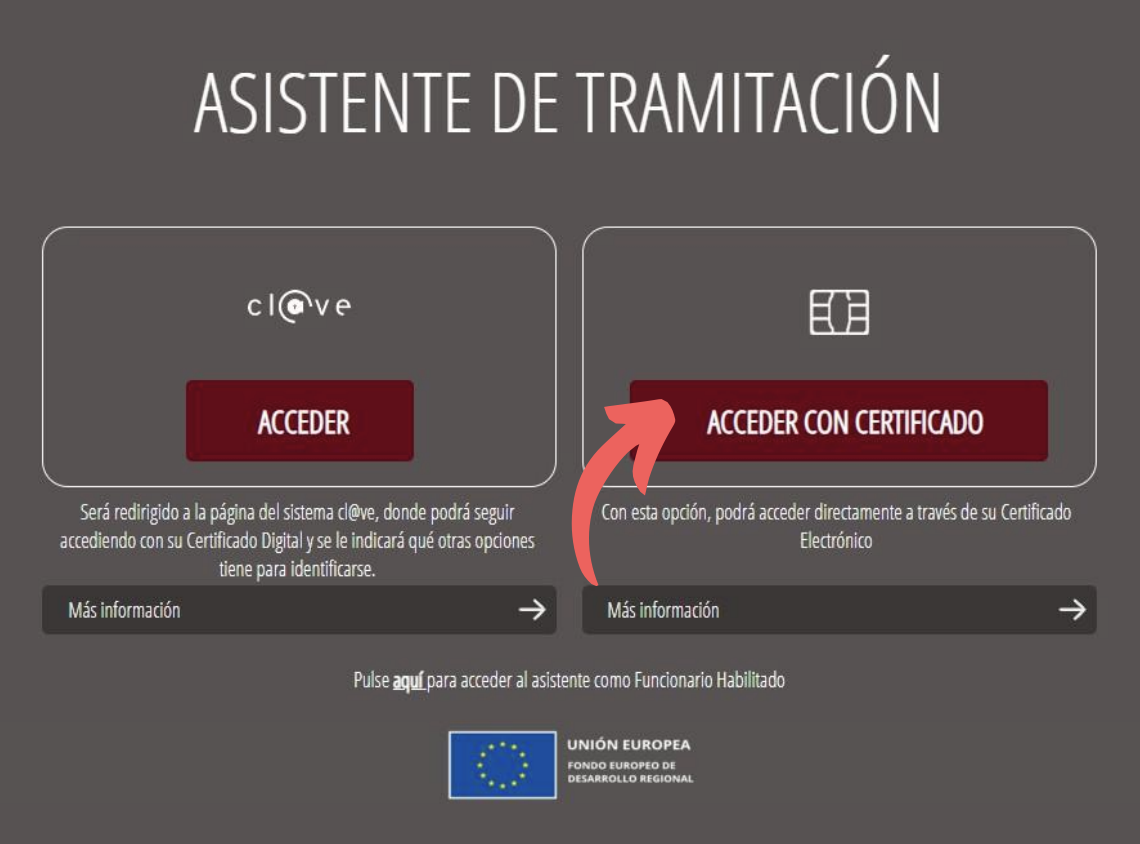
3. Log in/identify with your digital certificate, Autofirma, or any other method accepted by the Sede (Cl@ve, etc.). This is required to submit.
4. Fill in your personal ID details and enter the IBAN (must be your account and Spanish). Confirm the account ownership declaration.
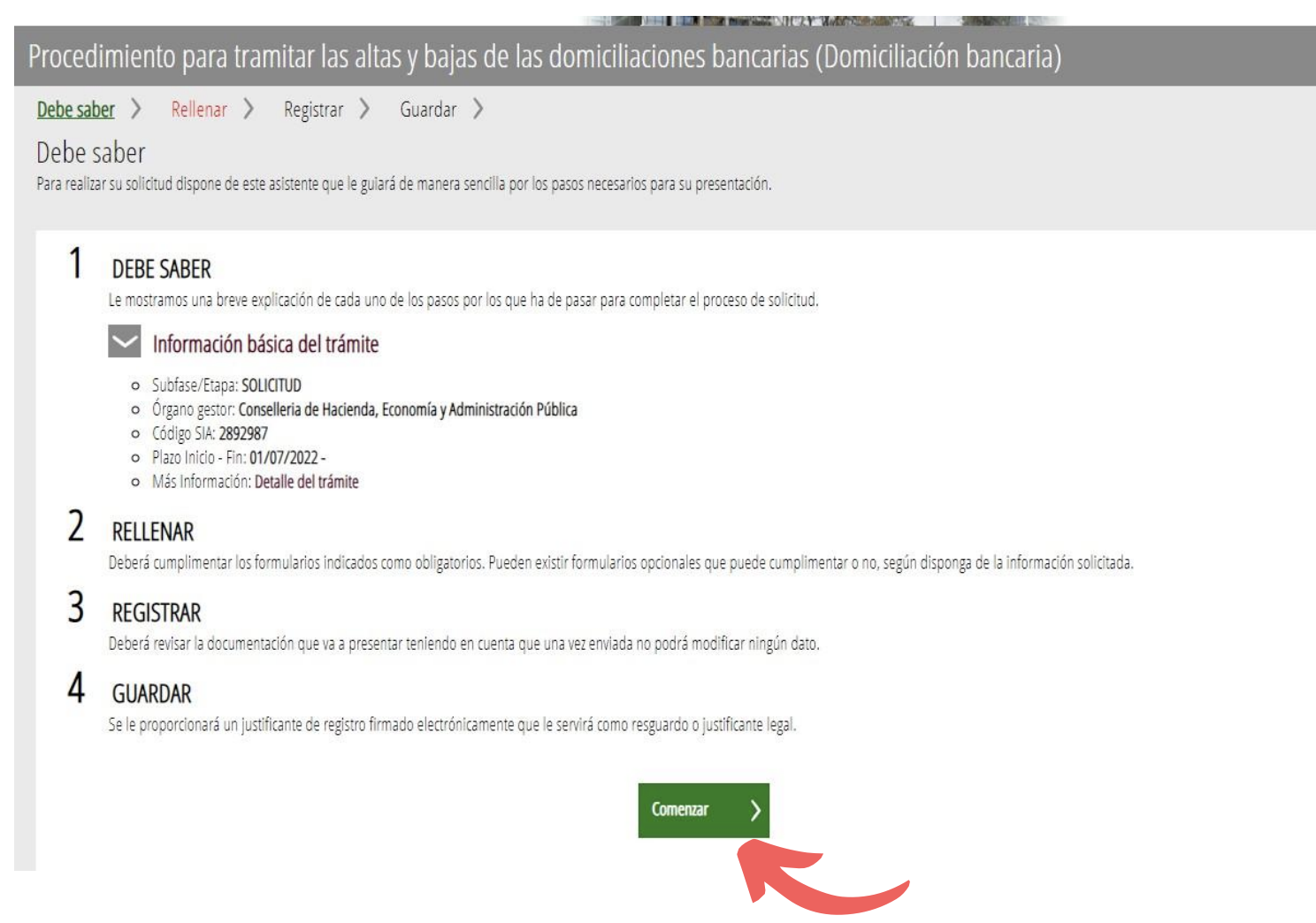
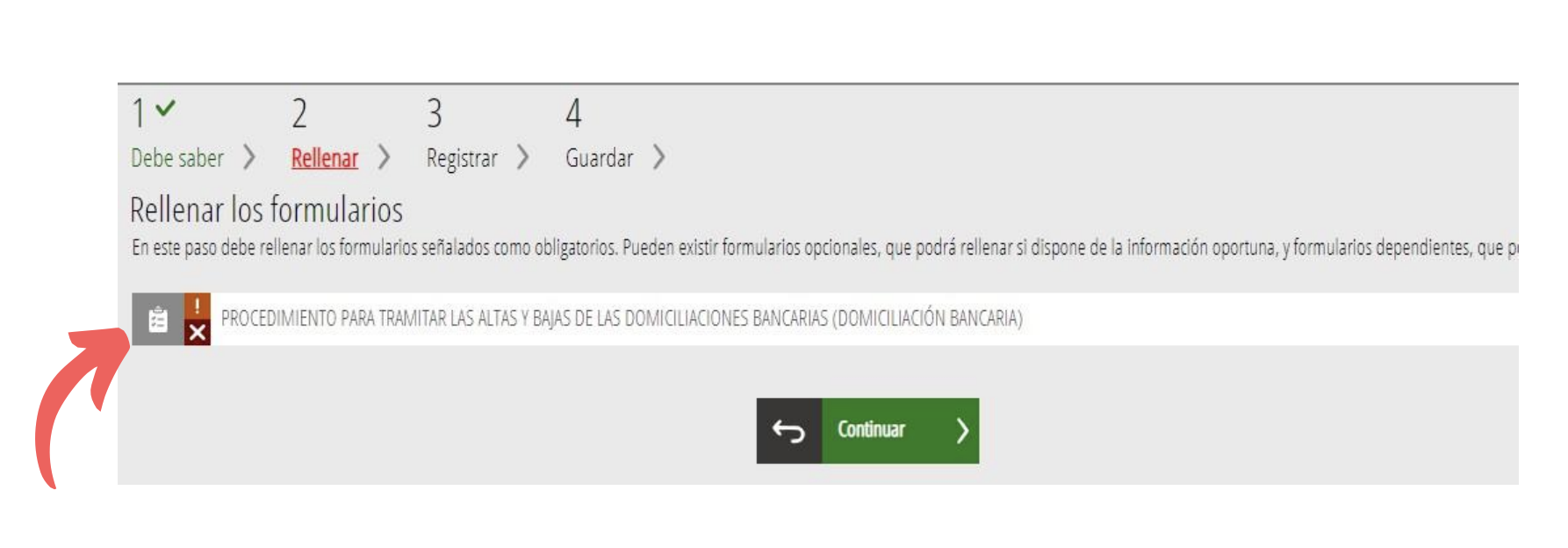
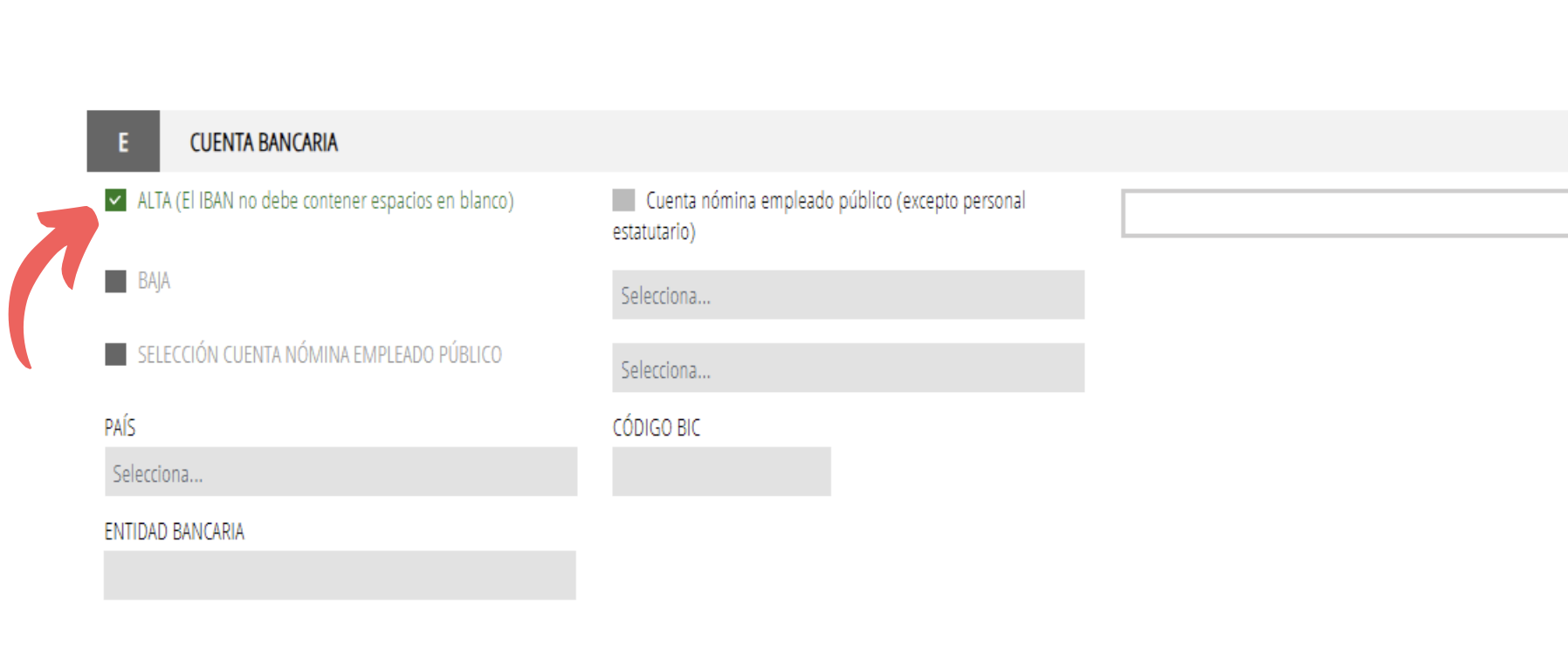
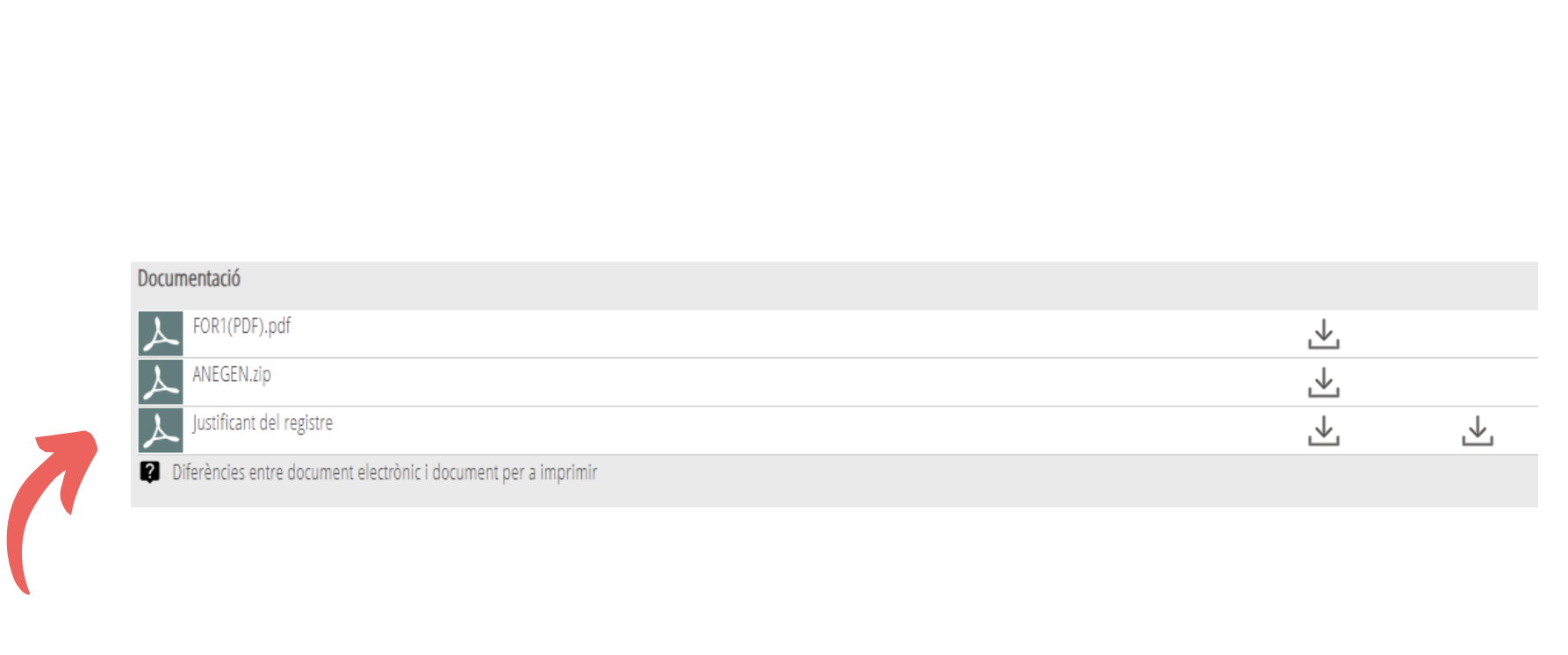
5. Review and submit. No extra documents are required for the automated telematic procedure. You’ll get a confirmation/expediente number on screen. Be sure to print this out and give it to your coordinator!
Questions?
For doubts about the procedure, email: cau_hacienda@gva.es or use the Sede’s help form.
Love always + good luck,
American Girl Meets World